Evidence-driven Flutter design

From product intent to verified Flutter UI.

Seven connected specialists audit, design, implement, and verify adaptive Flutter interfaces inside your agent.

npx skills add musabekisakov-imj/flutter-design-engineer
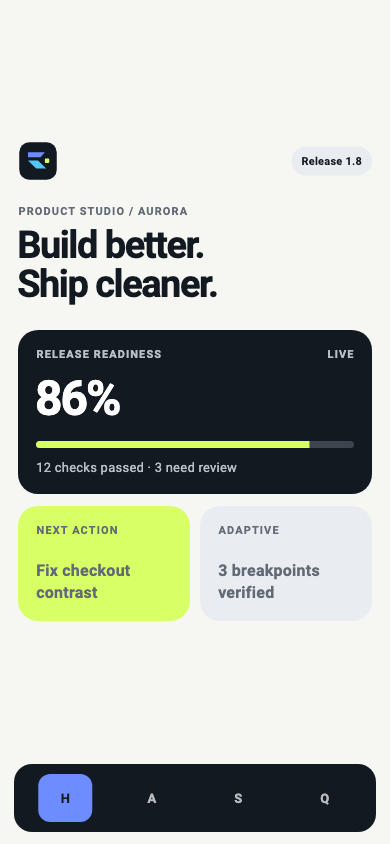
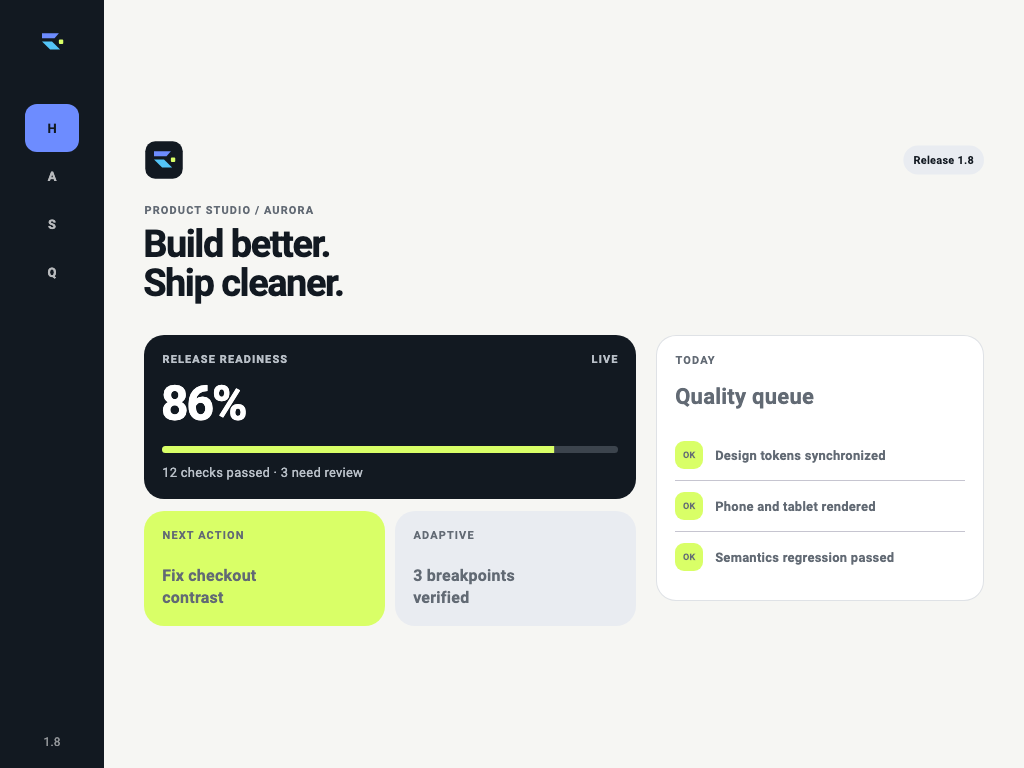
Flutter Product Studio workspace showing release readiness and next quality action Flutter Product Studio release screen showing verified readiness

Rendered in FlutterCommitted golden-test outputs

One chain from intent to evidence.

Every specialist owns a quality gate, hands clear decisions forward, and leaves a result the next stage can inspect.

  1. AuditFind the real product problem.Hierarchy, interaction, constraints
  2. DesignMake the UX explicit.Flows, states, adaptive behavior
  3. SystemDefine reusable semantics.Tokens, themes, components
  4. BuildImplement production Flutter.Project-native widgets and state
  5. MotionExplain change through movement.Feedback, continuity, reduced motion
  6. AccessInclude more users.Semantics, focus, scale, RTL
  7. VerifyProve the rendered result.Goldens, screenshots, breakpoints

IntentSeven quality gatesRendered evidence

Seven specialists. Clear ownership.

Select a skill to see when it activates, what it produces, and how to install it alone.

Connected orchestrator

Carry product intent through every quality gate.

Use for complete UI design or redesign work. It inspects the repository, routes specialist passes, requires approval before implementation, and closes with rendered evidence.

ProducesApproved UX, production UI, verified screenshots
npx skills add musabekisakov-imj/flutter-design-engineer --skill flutter-design

Diagnostic specialist

Find hierarchy and interaction problems before editing.

Use when an existing Flutter interface feels unclear, inconsistent, or fragile across screen sizes.

ProducesEvidence-backed findings and priorities

System specialist

Turn visual choices into semantic Flutter foundations.

Use for tokens, themes, typography, spacing, component contracts, and state consistency.

ProducesReusable semantic design system

Implementation specialist

Build approved interfaces in the project native style.

Use after UX approval for adaptive widgets, complete states, and production-ready Flutter composition.

ProducesIntegrated Flutter implementation

Motion specialist

Use movement to explain feedback and continuity.

Use for transitions, micro-interactions, interruptible animation, and reduced-motion behavior.

ProducesPurposeful, performant motion

Inclusion specialist

Make the interface robust beyond the default user.

Use for semantics, keyboard focus, text scaling, localization safety, and RTL behavior.

ProducesAccessible interaction and layout fixes

Rendered verification specialist

Inspect pixels, states, and breakpoints instead of guessing.

Use for screenshot matrices, golden tests, overflow checks, theme comparison, and visual regression triage.

ProducesInspected visual evidence

Real output

The proof is rendered, not described.

One deterministic product moves from audit to release through six connected, screenshot-tested Flutter screens.

Product Studio workspace with release readiness and next action
01 · Workspaceflutter-design · connected project stateInspect output
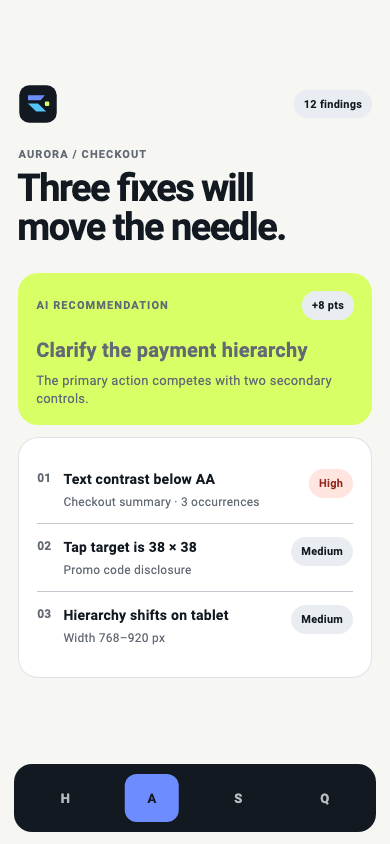
AI audit with prioritized Flutter interface findings
02 · AI Auditflutter-audit · prioritized findingsInspect output
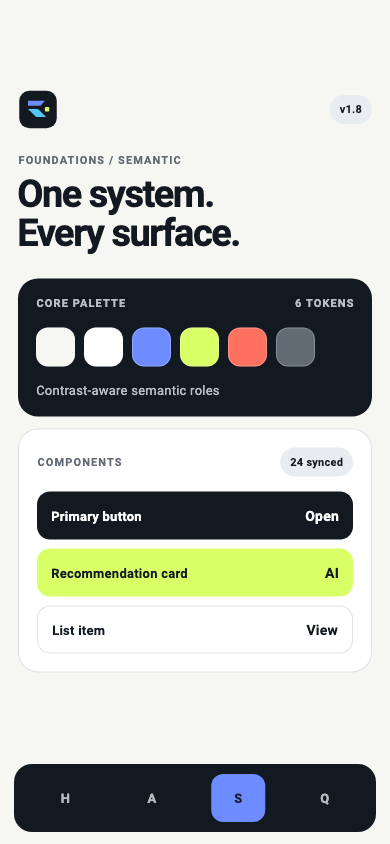
Semantic design system tokens and synchronized components
03 · Design Systemflutter-design-system · semantic tokensInspect output
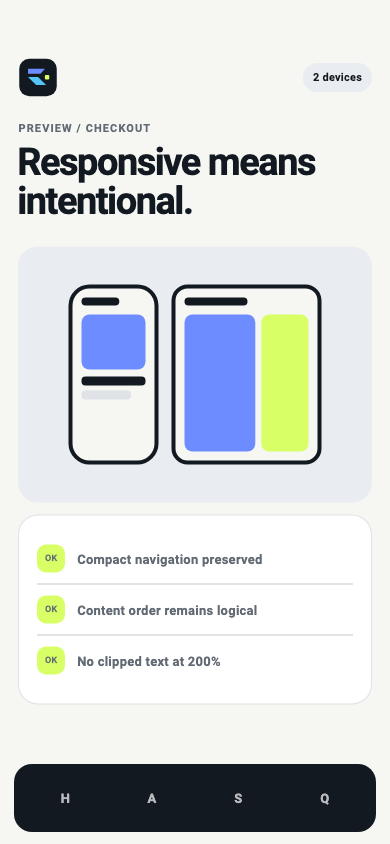
Adaptive preview comparing phone and tablet layouts
04 · Adaptive Previewflutter-implementation · phone breakpointInspect output
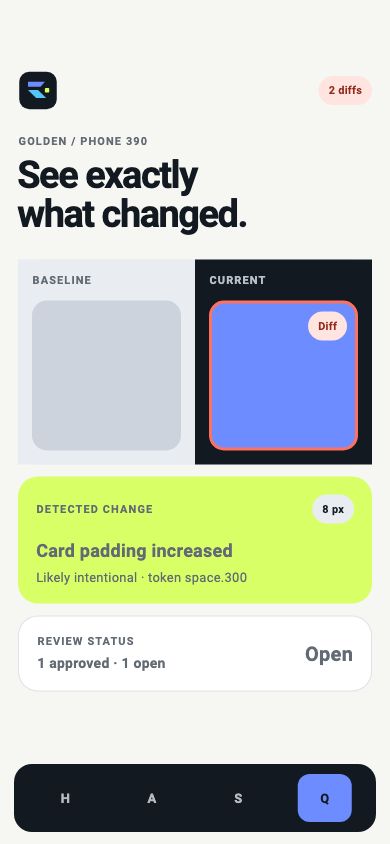
Visual QA screen comparing baseline and current Flutter renders
05 · Visual QAflutter-visual-qa · baseline comparisonInspect output
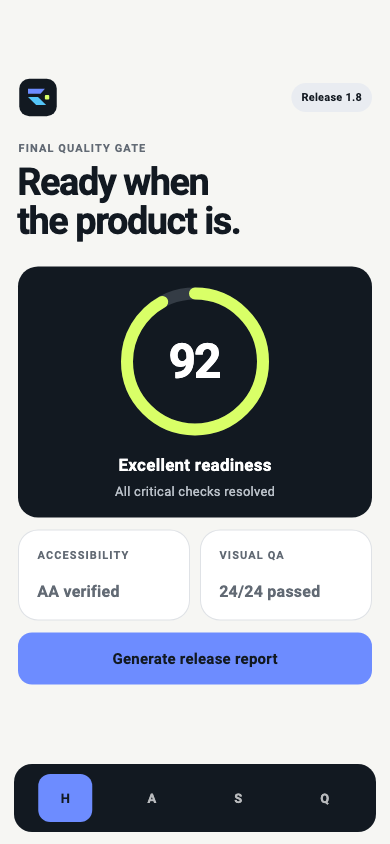
Release quality gate with accessibility and golden test results
06 · Releaseaccessibility + goldens · release gateInspect output

Local recovery

One failed check does not erase safe results.

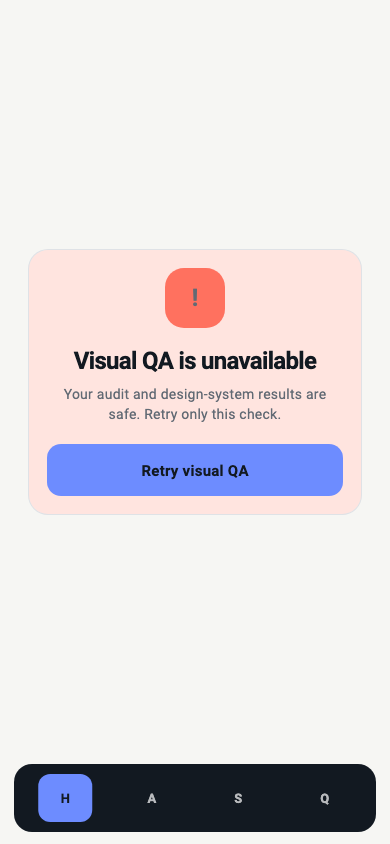
The Visual QA error explains exactly what is unavailable and keeps audit and design-system evidence intact.

Recoverable Product Studio Visual QA error state

Adaptive composition

Tablet becomes a useful quality workspace.

The same project model recomposes into persistent navigation, primary readiness, and a focused quality queue.

Expanded Product Studio workspace rendered at tablet size

Real Flutter golden-test outputs from deterministic Aurora fixtures. No live AI service, production backend, or adoption metric is claimed.

Controlled Codex benchmark

Same task. Different workflow.

The protocol is ready. Measured baseline and skill-guided results remain unpublished until both runs complete under equal declared conditions.

BaselinePendingNo score published
With skillsPendingNo score published

Protocol readyResults publish only after validation, blinded scoring, and artifact review.

Open-source proof

Trust the files you can inspect.

Every specialist is self-contained, source-visible, and backed by repository validation. No hidden prompt service sits between your agent and the workflow.

Inspect all skill sources
SKILL.md

Explicit triggers, workflow, guardrails, and verification steps.

Progressive references

Focused context loads only when the active task needs it.

Repository validation

Packaging and cross-reference checks run before release.

Rendered QA

Widget tests and committed goldens expose visual regressions.

Install where you work.

The cross-agent command is recommended. Direct paths provide exact scope control.

Claude Code

Install for all projects in ~/.claude/skills.

d="$(mktemp -d)" && git clone --depth 1 https://github.com/musabekisakov-imj/flutter-design-engineer.git "$d" && python3 "$d/scripts/install.py" --destination ~/.claude/skills

OpenAI Codex

Install for all projects in ~/.codex/skills.

d="$(mktemp -d)" && git clone --depth 1 https://github.com/musabekisakov-imj/flutter-design-engineer.git "$d" && python3 "$d/scripts/install.py" --destination ~/.codex/skills

Gemini CLI

Install inside the current project at .gemini/skills.

d="$(mktemp -d)" && git clone --depth 1 https://github.com/musabekisakov-imj/flutter-design-engineer.git "$d" && python3 "$d/scripts/install.py" --destination .gemini/skills

Cursor

Install inside the current project in .cursor/skills.

d="$(mktemp -d)" && git clone --depth 1 https://github.com/musabekisakov-imj/flutter-design-engineer.git "$d" && python3 "$d/scripts/install.py" --destination .cursor/skills

Start a new agent session after installation so the skills are discovered.

Give your agent the full Flutter workflow.

npx skills add musabekisakov-imj/flutter-design-engineer

Support open source

Help build the next Flutter quality workflow.

Sponsorship funds new specialist workflows, deterministic fixtures, and visual QA research for the Flutter community.

Sponsor on GitHub Secure checkout and recurring support are handled by GitHub Sponsors.